
Mazda CX-3: Warning/Indicator Lights and Warning Sounds / Message Indicated on Display (Some models)
If a message is displayed in the center display (Type B audio), take appropriate action (in a calm manner) according to the displayed message.
(Display example)
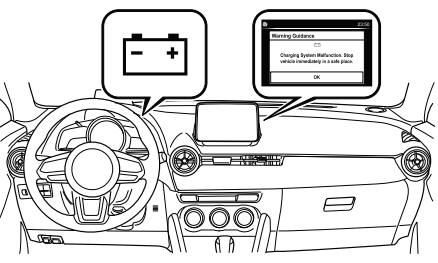
Stop Vehicle in Safe Place Immediately
If the following messages are displayed in the center display (Type B audio), a vehicle system may be malfunctioning. Stop the vehicle in a safe place and contact an Authorized Mazda Dealer.
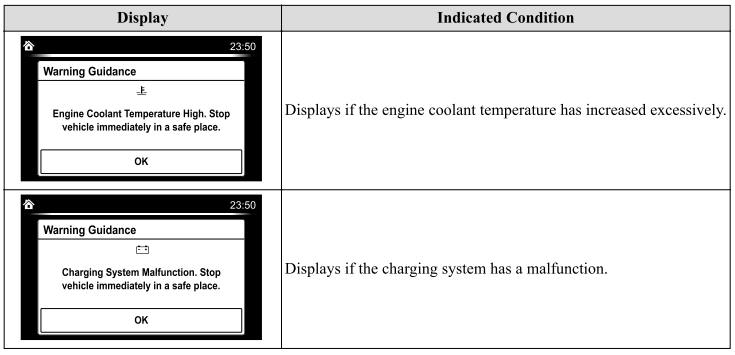
Verify Display Content
Displays in the following cases:
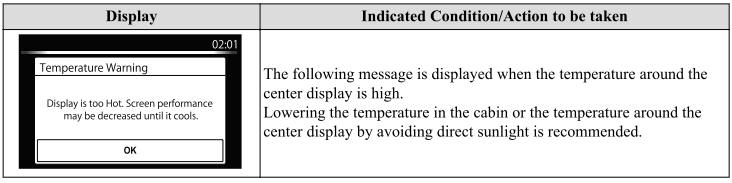
 Taking Action
Take the appropriate action and verify that the warning light turns off.
Tire Pressure Monitoring System Warning Light (Turns on)(Some models)
Take the appropriate action and verify that the warning light turns off...
 Warning Sound is Activated
Lights-On Reminder
The lights-on reminder is operable when
the time setting*1 of the auto headlight off
function is off.
If lights are on and the ignition is switched
to ACC or off, a continuous beep sound
will be heard when the driver's door is
opened...
Other information:
Mazda CX-3 (2015-2026) Owner's Manual: Recommended Oil
U.S.A., Canada, and Puerto Rico Use SAE 0W-20 engine oil. Mazda Genuine Oil is used in your Mazda vehicle. Mazda Genuine 0W-20 Oil is required to achieve optimum fuel economy. For maintenance service, Mazda recommends Mazda Genuine Parts and Oil...
Mazda CX-3 (2015-2026) Owner's Manual: If You Must Use the Front Seat for Children
If you cannot put all children in the rear seat, at least put the smallest children in the rear and be sure the largest child up front uses the shoulder belt over the shoulder. NEVER put a rear-facing child-restraint system on the front passenger seat whether your vehicle is equipped with an occupant classification sensor or not...
Categories
- Manuals Home
- Mazda CX-3 Owners Manual
- Mazda CX-3 Service Manual
- Daytime Running Lights
- Specifications
- Key Battery Replacement
- New on site
- Most important about car
Speedometer
The speedometer indicates the speed of the vehicle.
NOTE
(Analog speedometer type)
If a few seconds have elapsed after switching the ignition off, the needle may deviate. However, this does not indicate a problem.
Speed Unit Selector (Digital Speedometer)(Some models)
In some countries, you may have to change the speed units between km/h and mph.
