
Mazda CX-3: Vent Operation / Selecting the Airflow Mode
Mazda CX-3 (2015-2026) Owner's Manual / Interior Features / Climate Control System / Vent Operation / Selecting the Airflow Mode
Dashboard Vents
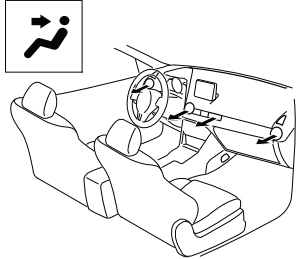
Dashboard and Floor Vents
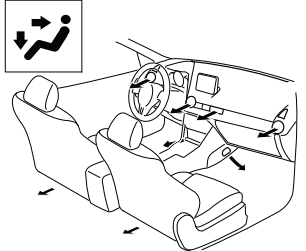
Floor Vents
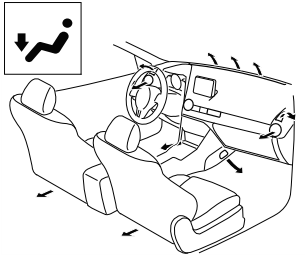
Defroster and Floor Vents
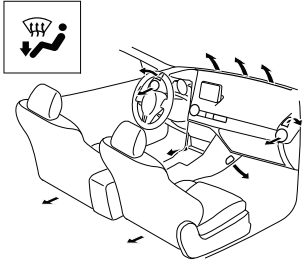
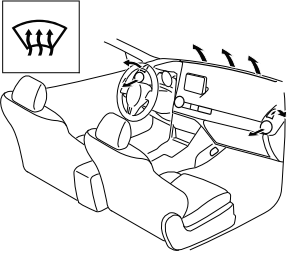
Defroster Vents
NOTE
The location airflow exits the air vents and the airflow amount may change depending on the open or close status of the air vents.
 Adjusting the Vents
Directing airflow
To adjust the direction of airflow, move
the adjustment knob.
NOTE
When using the air conditioner under
humid ambient temperature conditions,
the system may blow fog from the vents...
 Manual Type
T..
Other information:
Mazda CX-3 (2015-2026) Owner's Manual: Aluminum Wheel Maintenance (Some models)
A protective coating is provided over the aluminum wheels. Special care is needed to protect this coating. CAUTION Do not use any detergent other than mild detergent. Before using any detergent, verify the ingredients. Otherwise, the product could discolor or stain the aluminum wheels...
Mazda CX-3 (2015-2026) Owner's Manual: Rear Window Wiper and Washer
The ignition must be switched ON to use the wiper. Rear Window Wiper Turn the wiper on by turning the rear wiper/washer switch. Rear Window Washer To spray washer fluid, turn the rear wiper/ washer switch to either of the position. After the switch is released, the washer will stop...
Categories
- Manuals Home
- Mazda CX-3 Owners Manual
- Mazda CX-3 Service Manual
- Auto Lock/Unlock Function
- Adjusting the Driver's Seat
- Mazda Radar Cruise Control with Stop & Go function (MRCC with Stop & Go function) Display Indication
- New on site
- Most important about car
Operational Range
The system operates only when the driver is in the vehicle or within operational range while the key is being carried.
NOTE
When the battery power is low, or in places where there are high-intensity radio waves or noise, the operational range may become narrower or the system may not operate. For determining battery replacement, Refer to Keyless Entry System.

Copyright © 2026 www.macx3.net