
Mazda CX-3: Audio Set [Type B (touchscreen)] / How to Use Aha™
Mazda CX-3 (2015-2026) Owner's Manual / Interior Features / Audio Set [Type B (touchscreen)] / How to Use Aha™
 Bookmarking
You can bookmark song or artist to check
out later on the Web.
Select the icon.
Select to bookmark the
song.
Select to bookmark the
artist...
 What is Aha™?
Aha™*1 is an application which can be used to enjoy various Internet content
such as
Internet radio and podcasts.
Stay connected to your friends activities by getting updates from Facebook
and Twitter...
Other information:
Mazda CX-3 (2015-2026) Owner's Manual: Spare Tire
Your Mazda has a temporary spare tire. The temporary spare tire is lighter and smaller than a conventional tire, and is designed only for emergency use and should be used only for VERY short periods. Temporary spare tires should NEVER be used for long drives or extended periods...
Mazda CX-3 (2015-2026) Owner's Manual: Bottle Holder
B..
Categories
- Manuals Home
- Mazda CX-3 Owners Manual
- Mazda CX-3 Service Manual
- Indicator Lights
- Engine Start Function When Key Battery is Dead
- Headlights
- New on site
- Most important about car
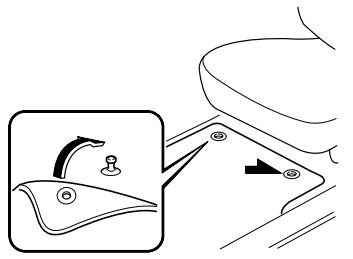
Floor Mat
We recommend the use of Genuine Mazda floor mats.
WARNING
Make sure the floor mats are hooked on the retention pins to prevent them from bunching up under the foot pedals: Using a floor mat that is not secured is dangerous as it will interfere with the accelerator and brake pedal operation, which could result in an accident.
Do not install two floor mats, one on top of the other, on the driver's side: Installing two floor mats, one on top of the other, on the driver's side is dangerous as the retention pins can only keep one floor mat from sliding forward. Loose floor mat(s) will interfere with the foot pedals and could result in an accident. If using an all-weather mat for winter use always remove the original floor mat.

Copyright © 2026 www.macx3.net