
Mazda CX-3: Basic Operation Method / Touch panel operation
CAUTION
Do not press the screen strongly or press it with a sharp-pointed object. Otherwise, the screen could be damaged.
NOTE
For safety reasons, operation of the center display is disabled while the vehicle is being driven. However, items not displayed in gray can be operated using the commander switch while the vehicle is being driven.
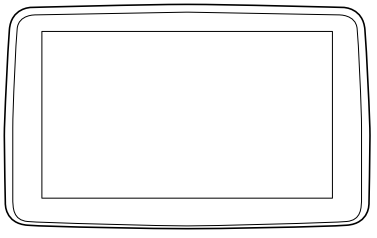
Touch & Tap
- Touch or tap on the item indicated on the screen.
- The operation is launched and the next item is displayed.
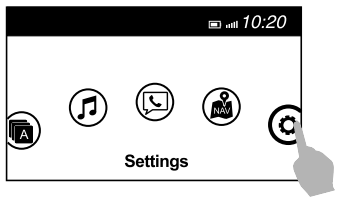
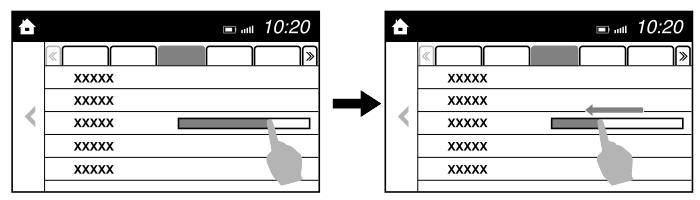
Slide (USB audio only)
- Touch the setting item displaying a slider bar.
- Touch the slider with your finger and move to the desired level.
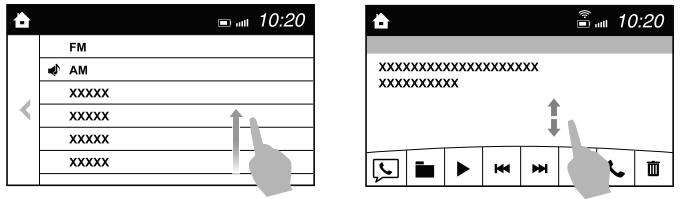
Swipe
- Touch the screen with your finger and move up or down.
- Items which were not displayed can be displayed.
Return to previous screen
Touch the  .
.
Displaying the home screen
Touch the  .
.
 Commander switch operation
NOTE
For safety reasons, some operations are disabled while the vehicle is
being driven.
Volume dial operation
Press the volume dial to mute and pause...
 Home screen
..
Other information:
Mazda CX-3 (2015-2026) Owner's Manual: Operation of Automatic Air Conditioner
Set the mode selector dial to the AUTO position. Set the air intake selector to the outside air position (indicator light turned off).NOTE If the recirculated air position is used for long periods in cold weather or high humidity, the windshield may fog up more easily...
Mazda CX-3 (2015-2026) Owner's Manual: Customer Assistance (Canada)
Satisfaction Review Process Your complete and permanent satisfaction is of primary concern to Mazda. All Authorized Mazda Dealers have both the knowledge and tools to keep your Mazda in top condition. In our experience, any questions, problems, or complaints regarding the operation of your Mazda or any other general service transactions are most effectively resolved by your dealer...
Categories
- Manuals Home
- Mazda CX-3 Owners Manual
- Mazda CX-3 Service Manual
- How to use the Android Auto™ mode
- Auto Lock/Unlock Function
- Identification Numbers
- New on site
- Most important about car
Fuel Gauge
The fuel gauge shows approximately how much fuel is remaining in the tank when the ignition is switched ON. We recommend keeping the tank over 1/4 full.
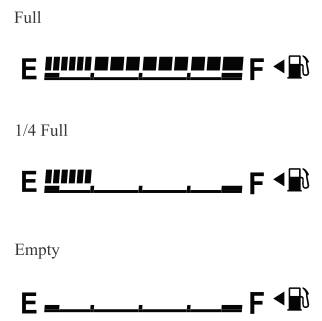
If the low fuel warning light illuminates or the fuel level is very low, refuel as soon as possible.
If inconsistency in engine performance or stalling occurs due to low fuel level conditions, refuel the vehicle as soon as possible and add at least 10 L (2.7 US gal, 2.2 Imp gal) of fuel. Refer to Taking Action.
